Skip to content

A free planning resource from Immersyn

Website design brief template
for service businesses.

Give your designer the information that makes the website yours: the customers you serve, the work you do, the material you can show and what a useful inquiry needs. Start with these six decisions, then agree the scope together.

No signup required. The six-page PDF has 18 answer fields and can also be printed. Use a PDF reader that supports forms, save a copy and reopen it to check your answers. Preview the PDF format. Prefer your own editor? Open the plain-text template. Your completed file stays with you unless you choose to share it.

Prefer Word or another editor? Copy the full template into your own document and add as much space as you need. Your answers stay in the document you create.

Planning with someone? Share the free guide with an owner or designer.

See what you are downloading

A working brief.
Space for your answers.

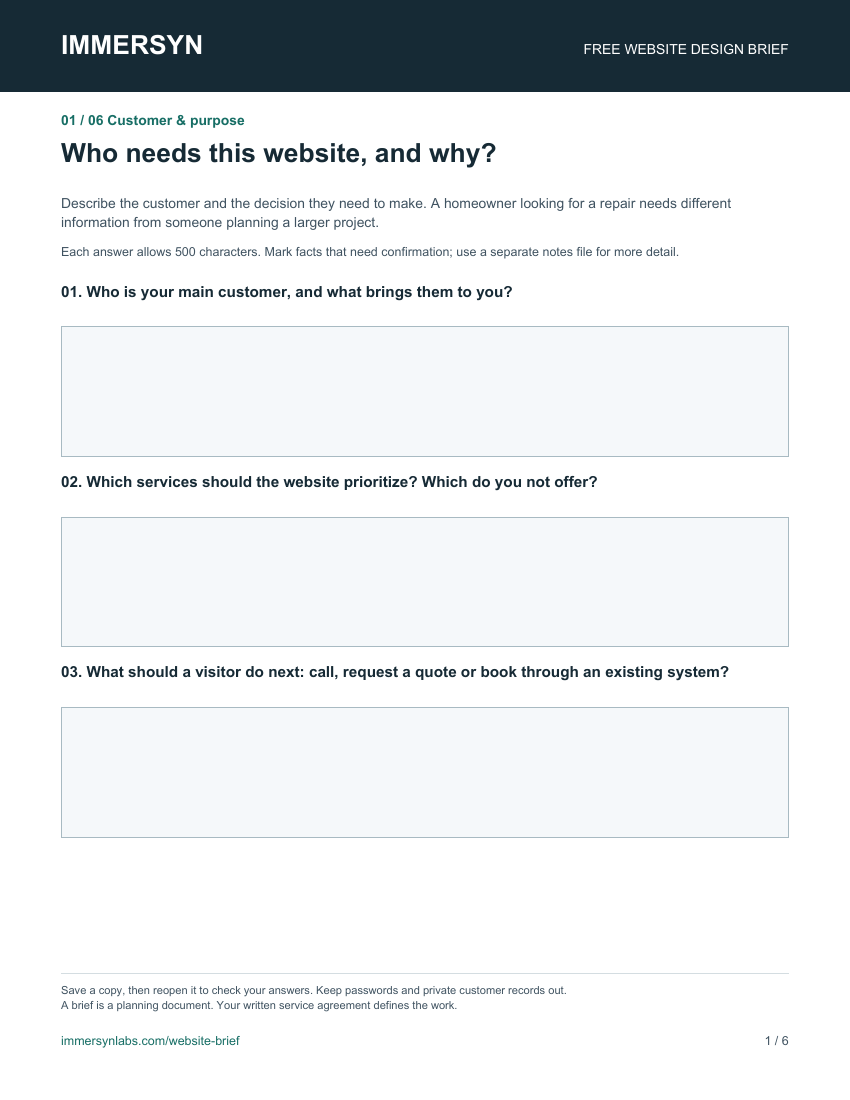
The PDF gives each of the six decisions its own page, with three questions and answer fields. Use it with your own designer to prepare the business facts, services, imagery and contact path.

First page of the website brief PDF: Customer and purpose, with three questions and blank answer fields.
Actual PDF preview · Page 1 of 6. All questions are also readable below.
18 answer fields
Complete them in a PDF reader that supports forms, or print the empty worksheet.
Keep your completed copy
Save the file and reopen it to check your answers. You choose whether to share it.
Need more room?
Each PDF field allows 500 characters. Use a separate notes file or the plain-text brief for longer answers.
Open the fillable PDF

Who needs this website, and why?

Describe the customer and the decision they need to make. A homeowner looking for a repair needs different information from someone planning a larger project.

  • Who is your main customer, and what brings them to you?
  • Which services should the website prioritize? Which do you not offer?
  • What should a visitor do next: call, request a quote or book through an existing system?

What this helps decideThis sets the first message, the service order and the main action.

Where and how do you work?

Give the actual service boundaries and appointment arrangements. Confirm whether customers visit you, you travel to them, or both.

  • Which towns, ZIP codes or areas do you currently serve?
  • What are your verified opening hours, availability and contact details?
  • What conditions affect a visit, quote or booking? Do not promise a response time you cannot support.

What this helps decideThis helps customers check fit before contacting you and keeps location claims accurate.

What must a customer know before asking?

Write down the questions you are willing and able to answer. Explain what changes the scope of the work rather than filling every page with general sales copy.

  • For each priority service, what is included, excluded or assessed after an inquiry?
  • What can you publish about pricing, suitability or preparation? Mark anything still unconfirmed.
  • Which questions come up before a customer can choose a service?

What this helps decideThis determines which services need their own page, comparison or frequently asked questions.

What can you show and substantiate?

List real material you have permission to use. A missing photo or unverified claim is useful to record before design begins.

  • Which logo files, brand colors, project photos or team photos can you supply?
  • For each photo, what does it show, who owns it and may it be published?
  • Which credentials, reviews or business claims can you verify? Link to the source and mark gaps.

What this helps decideThis shapes the visual direction and the proof on the page. Concept images must not imply completed client work.

What makes an inquiry useful to you?

Ask for enough information to take the next step. Keep the contact route simple, and decide where an inquiry should arrive.

  • What few details do you need to assess the request or arrange a call?
  • Which inbox, owner or booking system should receive it, and who will follow up?
  • How will you confirm a test inquiry reaches that destination before launch?

What this helps decideThis defines the form, contact actions and a delivery check. Never put passwords or private customer records in a brief.

What needs to be agreed before work starts?

Identify the starting scope and the people who can approve it. Include the current website so useful content and existing links can be reviewed.

  • What is your current website, and which pages, links or content need to be retained?
  • Who controls the domain, approves the business facts and supplies missing material?
  • What budget, target date, ownership terms and ongoing update responsibilities should be discussed?

What this helps decideThis creates a practical starting scope. A brief is a planning document; the written service agreement defines the work.

Put the brief to work

Different customers.
Different page decisions.

These are fictional planning examples, not client projects or results. Use them to see how customer needs can shape a page structure; confirm the details for your own business.

Auto detailing

Help a customer choose the right treatment.

Information to prepare
Explain the difference between the offered packages, vehicle suitability and whether the work is mobile or at a shop. Use approved photos that show the relevant finish.
A starting structure
Package comparison, verified work photos, preparation answers and a vehicle inquiry.
A useful inquiry
Vehicle type, desired service, location and preferred timing. Explain how a quote or appointment is confirmed.

Plumbing & home repair

Make the service and contact route easy to find.

Information to prepare
State the actual repair services, service area, working hours and how to reach the business. Only describe emergency or same-day availability if the owner can confirm it.
A starting structure
Clear service list, prominent contact action, location information and answers about arranging a visit.
A useful inquiry
Issue, location and a way to reach the customer. Any urgent-call guidance must match the business’s real availability.

Landscaping projects

Show fit before a project conversation.

Information to prepare
Clarify project types, the areas served and the details visible in each approved project photo. Explain what an initial consultation can establish.
A starting structure
Relevant project gallery, service scope, project process and a consultation inquiry.
A useful inquiry
Project type, property area, desired timing and any helpful scope notes. Ask about budget only when it helps assess the project.

A practical website photo guide

Real work.
Useful photographs.

A recent phone camera can be a useful starting point. A few clear, relevant images with context give your designer more to work with than a large folder of unexplained photos. Start with these three kinds of shot.

Show the whole job.

Take a wide view that shows the setting and the work together. Keep the camera level, use even light and leave space around the subject so a designer can try different crops.

Where it can help
A service introduction or project overview. A landscape and a portrait version give the designer options for desktop and phone layouts.

Show the detail that matters.

Move closer to a finish, repair or material a customer needs to assess. Keep the important detail in focus. For a before-and-after pair, use the same viewpoint and similar lighting; describe any differences.

Where it can help
Explain a service or illustrate completed work. Keep edits faithful to the actual result; a photo should not imply work your business did not do.

Show how the work happens.

Photograph the team, workspace or a genuine step in the process when it is appropriate and safe. Check permission before including identifiable people, customer property or identifying details.

Where it can help
Introduce the people and process behind the service. Do not interrupt work or include customer records, access codes or other private information.

Send originals, with room to crop.

Keep the full-resolution original instead of a screenshot, social-media download or tightly cropped copy. Check focus at full size. Supply your logo separately if you have it; avoid adding text or filters to the photo.

Missing a shot? Mark the gap in your brief. Agree whether to take a new photo or use suitable licensed or clearly illustrative imagery before approving the design.

Add a note to each selected image.

Include the filename, the service or project shown, what your business actually did and who can confirm permission to publish it. Flag any crop, credit or privacy restrictions for review.

Fictional example: “patio-detail-01.jpg — completed patio edge detail; our work covered the paving, not the planting. Photographer and property permission: needs confirmation. Crop out the house number.”

Review the selected photos, captions and business claims together before publication. Our launch standard’s content checks explain what needs approval. This photo guide supplements the six sections in the downloadable brief.

Turn the brief into an agreed scope

Agree what matters.
Then review the design.

Ask your designer which answers affect the pages, layout, imagery and contact path. Confirm missing facts and any separate integrations or content work before approving the scope.

Download the fillable website brief

What if I do not have everything yet?

Write “needs confirmation” and identify who can supply it. Ask whether missing photos or content affect the proposed design, timing or cost. Keep passwords, private customer records and unpublished reviews out of the brief.

What should I check after the build?

Use our free website launch checklist and worksheet to review the approved facts, mobile experience, inquiry delivery and search access. The brief starts the conversation; the launch checks help you review the result.

For Immersyn’s page allowances, setup options and ongoing care, compare our managed website plans and read the service terms.

Plan it together

A useful starting point.
For someone you know.

Know a service-business owner planning a website, or working through the brief with a designer? Share this free resource so you can start with the same questions.

They can use it with any designer. No signup or Immersyn subscription is needed to read the guide or download a blank template.

Share the free guide. The link opens the six decisions, fictional planning examples, photo guide and blank PDF or text template.

This shares the public guide. It does not include your completed brief, inquiry details or files. You choose who receives it.

Bring your business into the conversation

A clearer brief.
A more useful website.

Tell us about your business and the customer action that matters most. We will review the request and recommend a website scope before any commitment.

Discuss my website